How the AI in OneAMS works.
OneAMS is built around one assistant. Ask in plain language and it finds the records, prepares the work across members, dues, events and email, and checks with you before anything reaches a member or moves money.
- Who hasn't renewed for 2027? Send them a reminder. OneAMS replies: Here is the reminder. Each member gets their own amount and a link to pay.
- Set up the annual gala on March 14. 200 seats, $50 a ticket, $40 for members. OneAMS replies: The gala is ready to publish, with a confirmation email for every ticket.
- How much did we collect in dues this year? OneAMS replies: $57,100 from 412 members, 9% more than last year.
- Add Maria Lopez to the Chicago chapter as a Regular member. OneAMS replies: Maria is ready to add. She will receive a welcome email and an invoice for $150.
- Import our member spreadsheet. OneAMS replies: Everything is mapped. The 14 duplicates are set aside for review.
The whole of membership administration, by request.
Every screen is still there. Ask when it is faster, click when you prefer.
Renewals and dues
Ask who is due and OneAMS assembles the renewal: members by level and chapter, each member's amount, anyone left out and why, and the reminders. Invoices and emails go out when you approve them.
- “Who hasn't renewed for 2027?”
- “Remind everyone who is two weeks late.”
Events
Describe the event and OneAMS creates it: date, capacity, member and guest prices, the registration page and the confirmation email.
- “Set up the annual gala on March 14, 200 seats.”
- “Who registered but hasn't paid?”
Reports and answers
Ask a question about your association and get the figures, with the filters used and the member records behind each one. Figures are calculated inside OneAMS from your records.
- “Which chapters grew this year?”
- “How much did we collect in dues?”
Email and content
Describe what you need and OneAMS drafts it in your association's voice: emails, newsletters, event pages and forms, with each member's details merged in. Nothing is sent until you approve it.
- “Send the March newsletter to the Chicago chapter.”
- “Write a thank you to this year's volunteers.”
Follow-ups that run on their own
Tell OneAMS what should happen when someone joins, renews, enters grace or lapses. Each follow-up sends automatically, waits for approval, or stays a draft only.
- “Welcome every new member with their card.”
- “Email members the day their grace period starts.”
Member questions
Members ask the assistant in their portal about their renewal, events or how to pay. It answers from the information you approve and their own record, never another member's, and hands the conversation to a person when asked.
- “When does my membership renew?”
- “Can I pay by bank transfer?”
Clean records
OneAMS finds likely duplicates and members missing an email, phone or birth date, and proposes merges and follow-ups for your approval.
- “Find duplicate members.”
- “Who is missing an email address?”
Moving in
Send your spreadsheet or the export from your current system. OneAMS maps each column to the right field, flags likely duplicates and loads a private copy for you to check.
- “Import our member spreadsheet.”
- “Bring over last year's payments.”
Everything waits on the Today screen.
The admin home leads with the decisions waiting: each piece of work the assistant prepared, with a preview and Approve or Skip. Below it, what needs attention in your records, such as lapsing memberships, overdue invoices and bounced email, and what was done since your last visit. Each person sees only what they may act on.
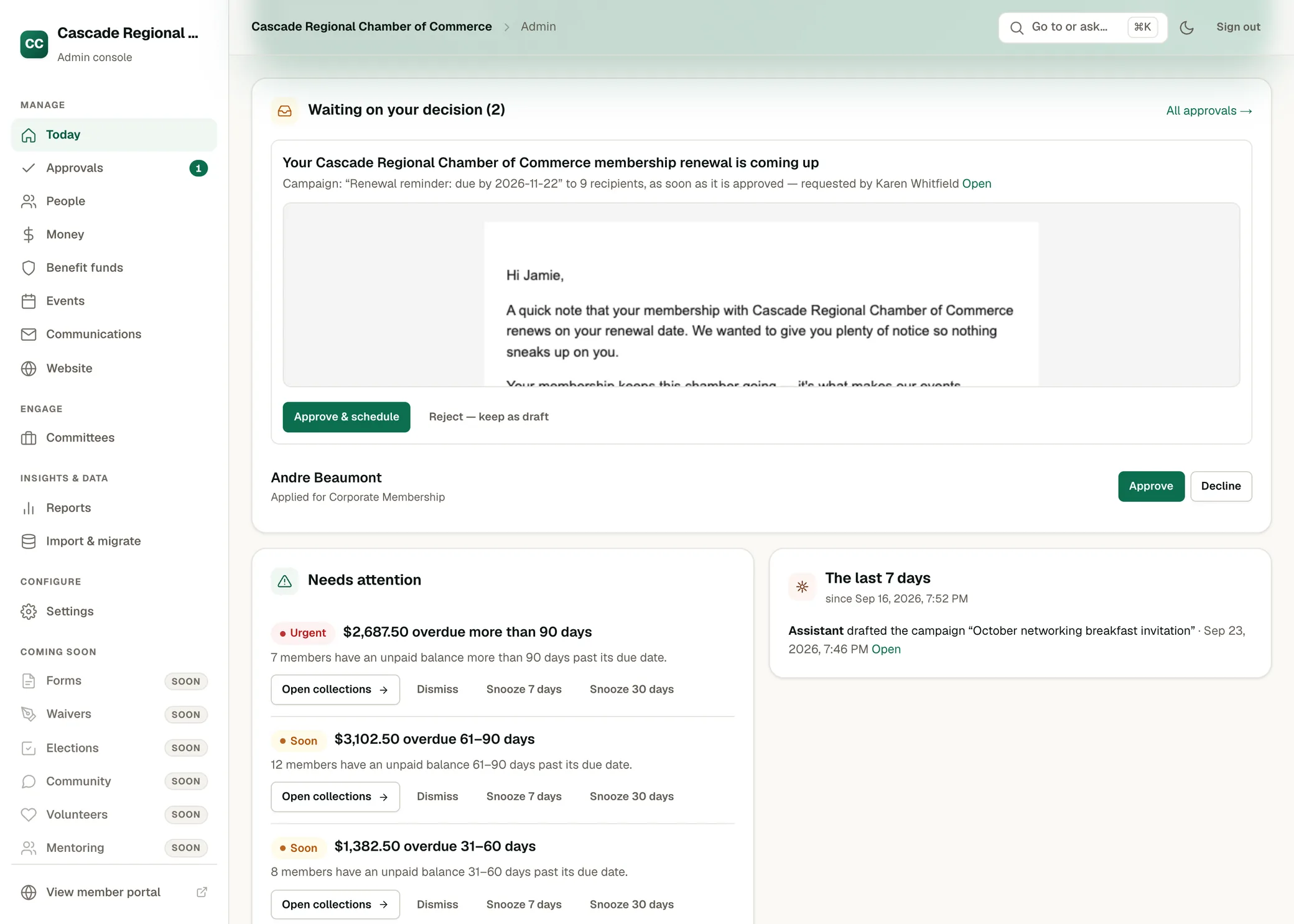
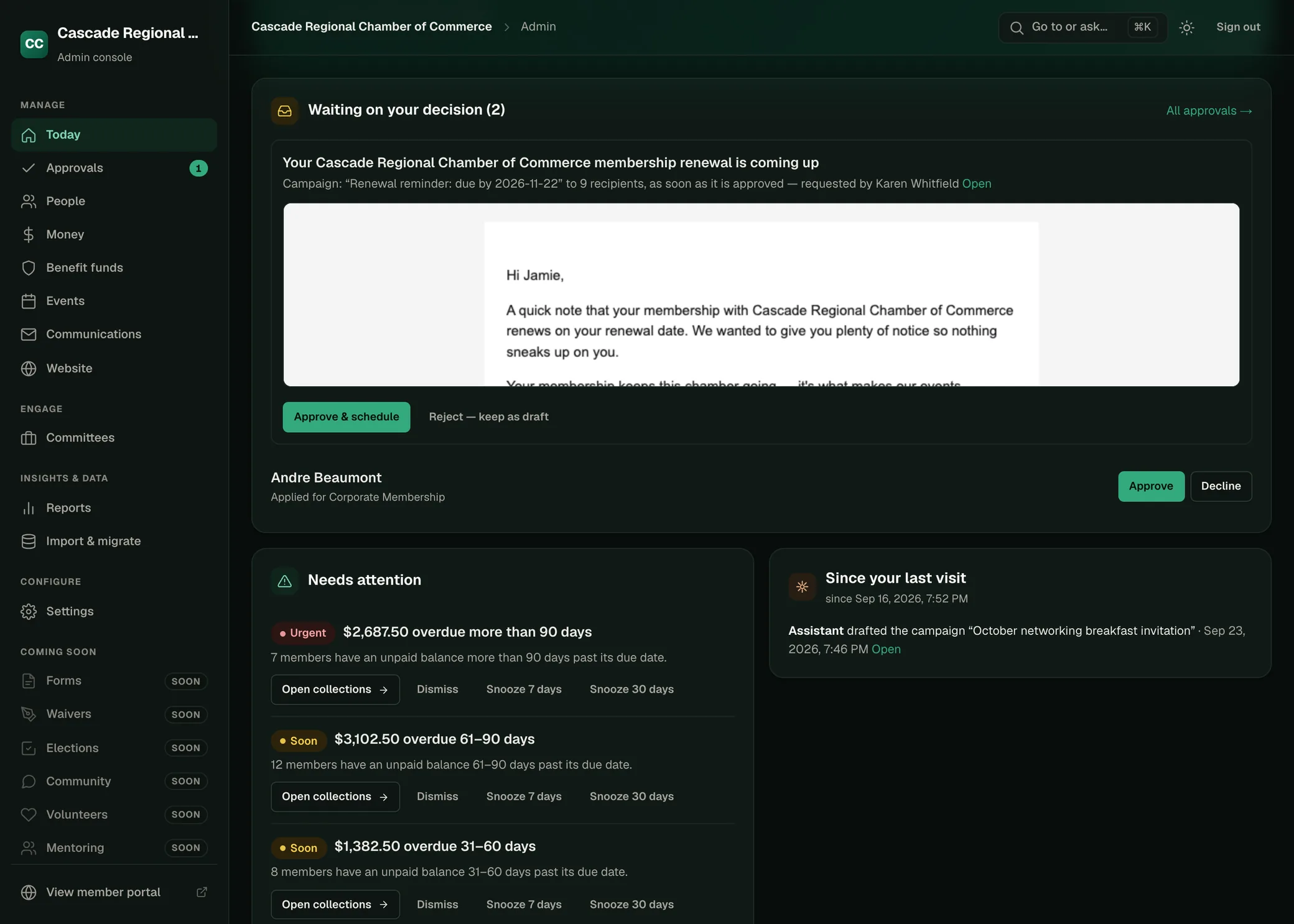
Today for Cascade Regional Chamber of Commerce, a fictional association: decisions waiting, items needing attention, and changes since the last visit.
Oversight and controls.
Your permissions, not more
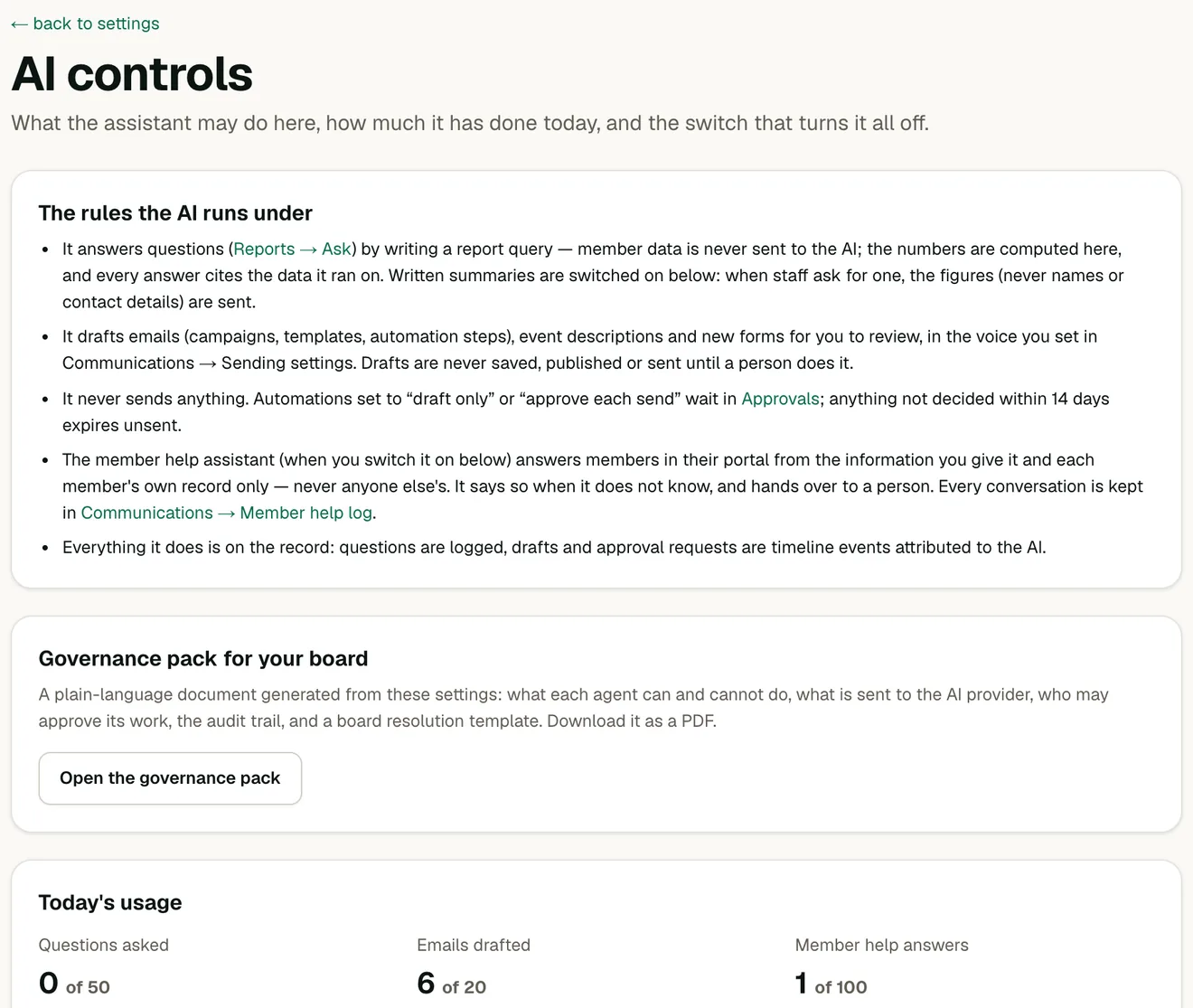
The assistant works within the permissions of the person asking and has no wider access to your association's data.
Approval before anything consequential
Emails, invoice runs, charges and record merges wait for someone with permission to approve them. An approval nobody decides expires after 14 days and is never sent.
You choose what runs on its own
Each follow-up is set to automatic, approve each, or draft only.
Daily limits and one switch
AI usage is capped daily for each organization and each kind of task. One switch pauses all AI, and the rest of OneAMS keeps working.
What leaves OneAMS
Your member data is not sent to the AI model for reports: it receives the question and the list of available fields, and the figures are calculated in OneAMS. Drafts use placeholders for member details. The member assistant sends only the asking member's own summary and the content you approved.
A governance pack for the board
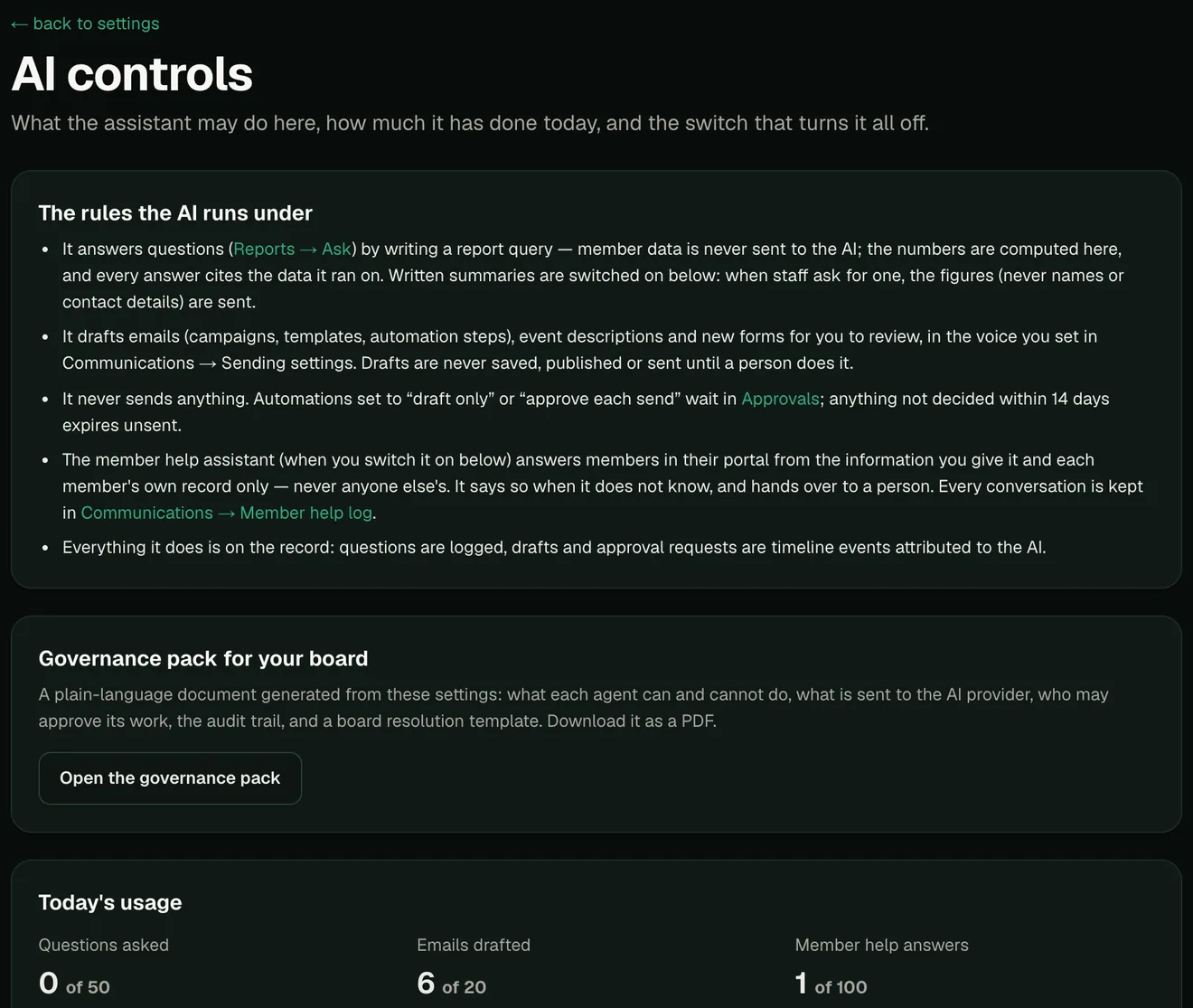
Settings, AI controls, Governance pack produces a document from your current settings: what the AI can and cannot do, what is sent to the AI provider and what never is, who may approve each kind of item, the audit trail, recent AI setting changes, and a board resolution template. Download it as a PDF.
Common questions about the AI.
Do we have to use the chat?
No. Every list, form and report is a normal screen. The assistant is the faster way to reach them and to do work that spans several of them.
Can it email members or charge them without approval?
Only a follow-up you have set to send automatically. Everything else waits for someone with permission to approve it.
How reliable are the figures?
Your question becomes a report definition. OneAMS calculates the figures from your records and shows the filters used, so a misread question is easy to spot.
Is member data sent to an AI provider?
Not for reports, and drafts use placeholders. The member assistant sends only the asking member’s own summary and the content you approved. The governance pack states this in full.
Can we turn AI off?
Yes. One switch pauses all AI, and the rest of OneAMS works without it.